
The FamilySearch genealogical website is one of the largest resources that collects information from archives and libraries around the world, including Ukrainian ones. This database is sponsored by the Church of Jesus Christ of Latter-day Saints (better known as Mormons) and operates with the support of volunteers. Through the website, you can get advice and assistance in more than 4,500 genealogical centers in 70 countries around the world, including the Family History Library in Salt Lake City, Utah, USA. Here you can even contact a temple parish consultant who will help you find the necessary data. The genealogical society was founded by Mormons in 1894 and began accumulating funds and records in 1938. In 1998, Mormons, based on the materials and research received, decided to create an electronic platform that would help many people find their relatives and loved ones. Family Search provides free access to archival documents and data from more than 100 countries around the world. In addition to access to materials, the developed site provides free genealogy training courses.
From 1993 to 2011, Mormons conducted work to scan the Ukrainian archives, and now on the Family Search website you can find more than 1 million images of documents from the following archives:
- Central State Historical Archive of Ukraine in Lviv;
- State Archives of Dnipropetrovsk Region;
- State Archives of Zaporizhia Region;
- State Archives of Cherkasy Region;
- State Archives of Chernihiv Region;
Now let's take a closer look at the capabilities of the FamilySearch resource.
To log in to FamilySearch, you must enter a username and password. If you are not a registered user, you must create a free account by completing a simple registration process.
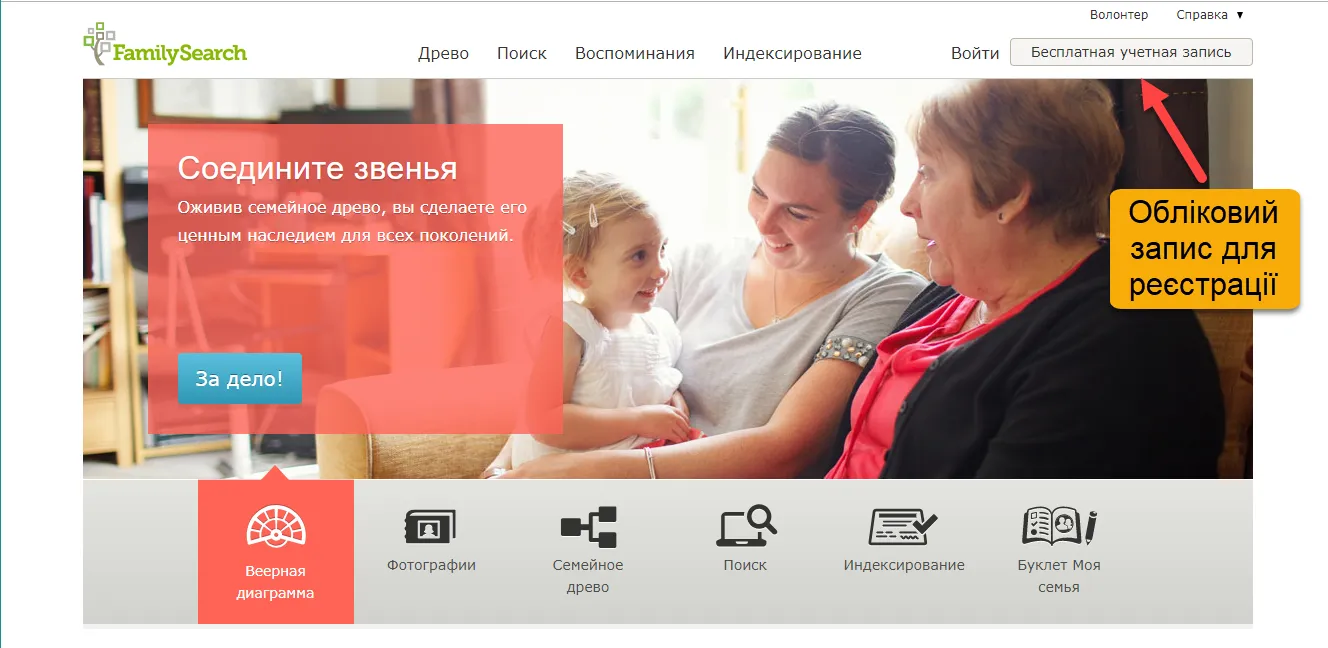
Getting Started with FamilySearch. User Registration
An email will be sent to your email address to confirm your email address and attach it to your personal account on the website. In this email, you must confirm and activate your address and account.
If you suddenly forgot your personal account details, you can click on the link "Forgot your username or password", all instructions for restoring your profile will be sent to your email.
After completing registration, you will gain access to various sections of the site, namely: Tree, Search, Memories, Indexing.
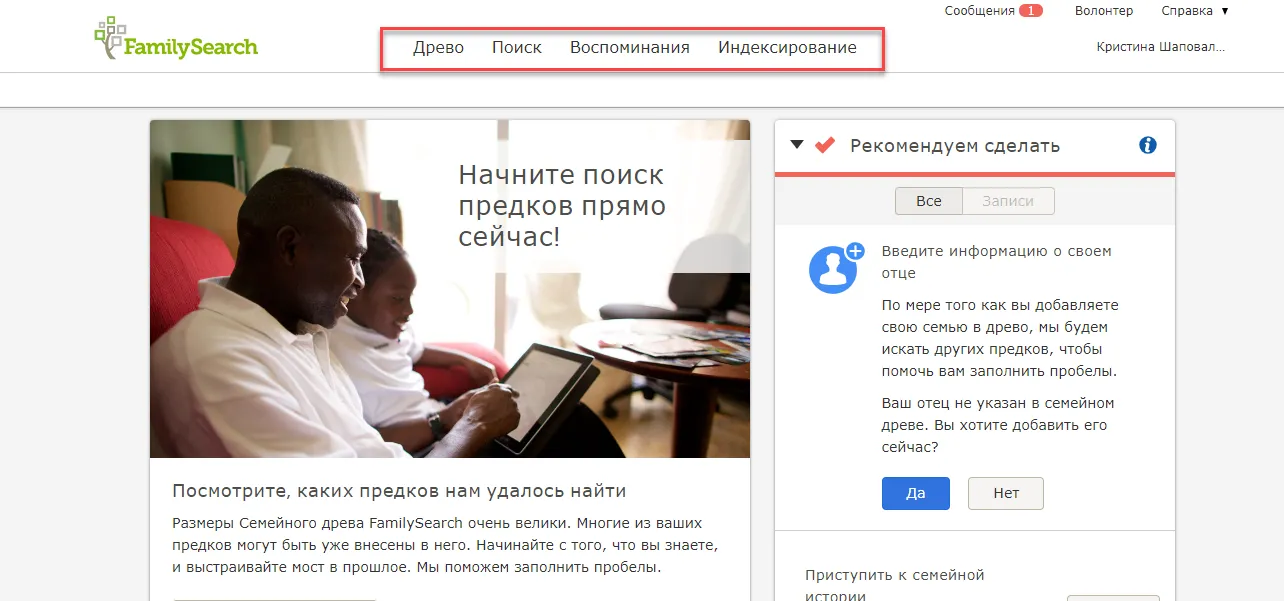
Basic sections of the FamilySearch resource
Family Tree is a section of the FamilySearch website where users can create their own family tree and gradually add to it. Here you can enter information about different generations of your family and information about relatives. The family tree visualizes the interconnections of different generations in an accessible way. You can also enter and view detailed information about each ancestor separately, the names and surnames of other family members, key events, photos and stories.
In your family tree on Family Search, the system displays a lineage where you are in the center, while your ancestors are displayed on the right side and your descendants on the left.
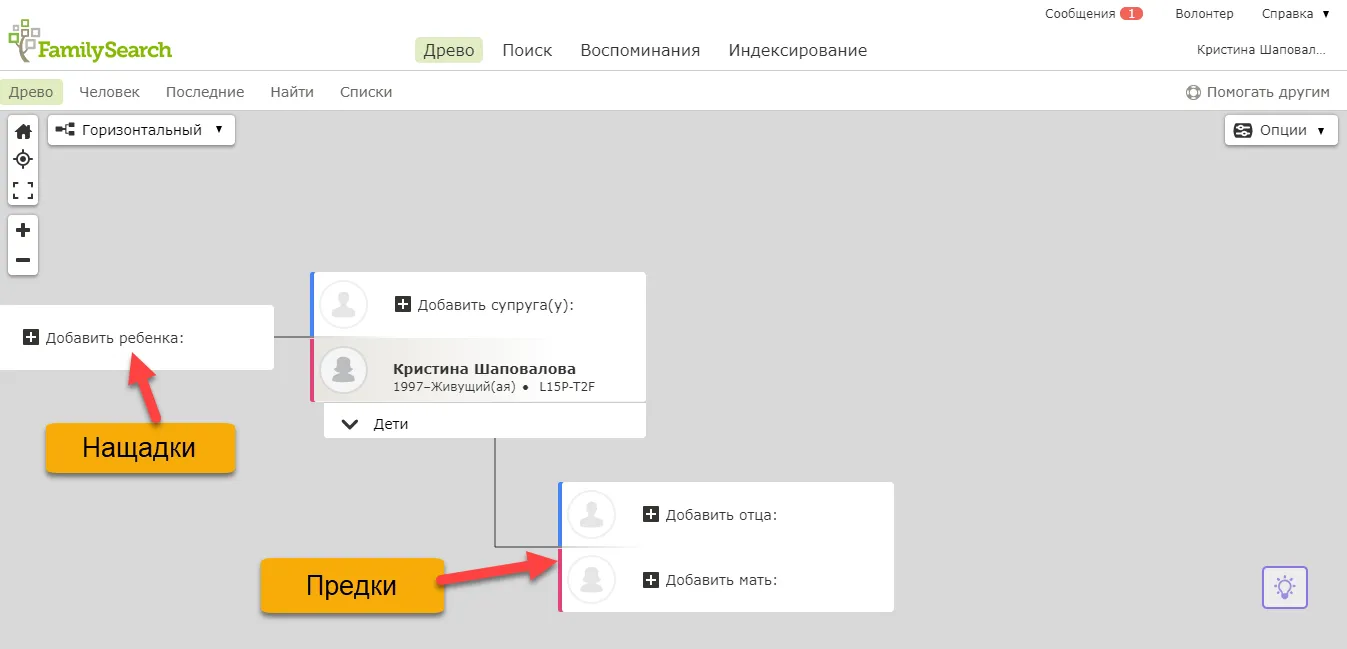
Genealogical chart presentation on Family Search
Family tree is a system on which many users work simultaneously. One or another researcher performs searches, adds materials, changes data, and this is reflected in the main tree not only of your record, but also in the records of other users, so it simplifies the search for family connections.
There are different views of the Family Tree. These views allow you to trace different relationships between generations of ancestors. To view these Tree Views, click the View button and select one of the options.
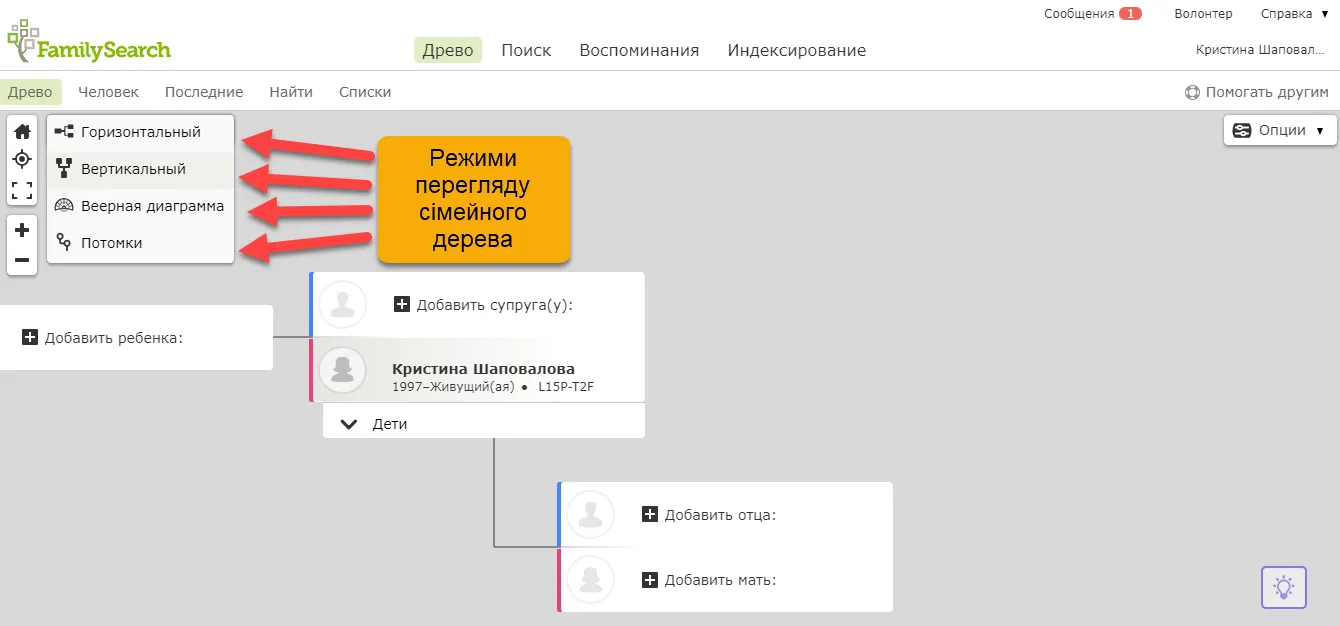
Genealogy chart display modes
Horizontal view. This is a horizontal diagram of building a family tree, in which the spouses are displayed together, and from them extend lines connecting them with their parents, etc. In this type of view, you are in the central part of the tree, your ancestors are on the right, descendants are on the left. To move a person to the central part of the tree, click on the person's name, and then on the Tree button.
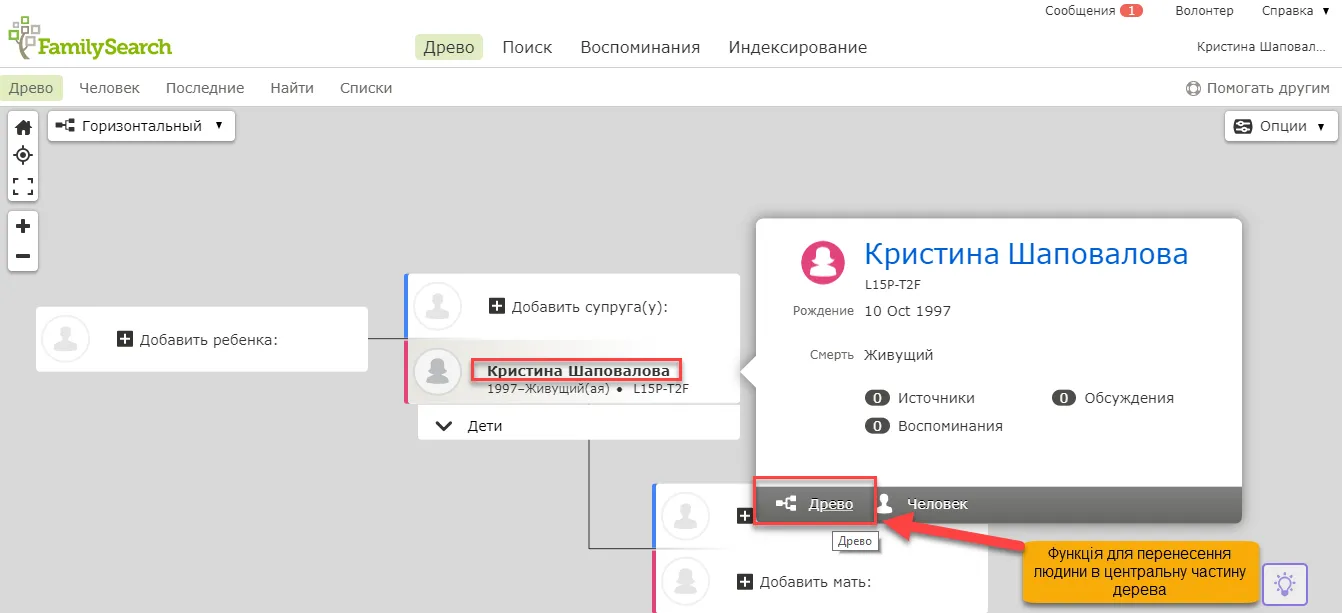
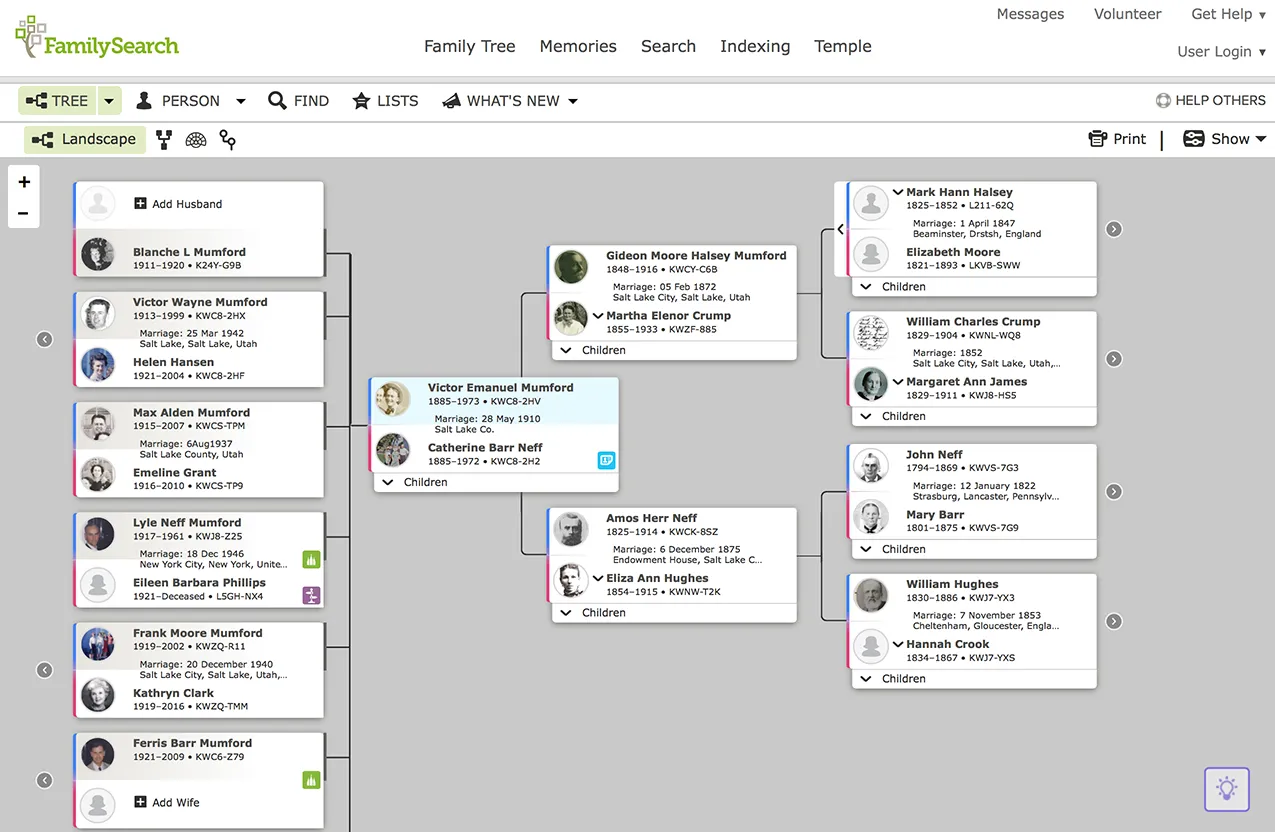
Horizontal diagram of building a pedigree
Vertical view. This is a vertical diagram of building a family tree, which also displays photos of ancestors added by users to their family tree. Thanks to the photos, information is visualized, making it easier for the user to feel a connection with ancestors and relatives.
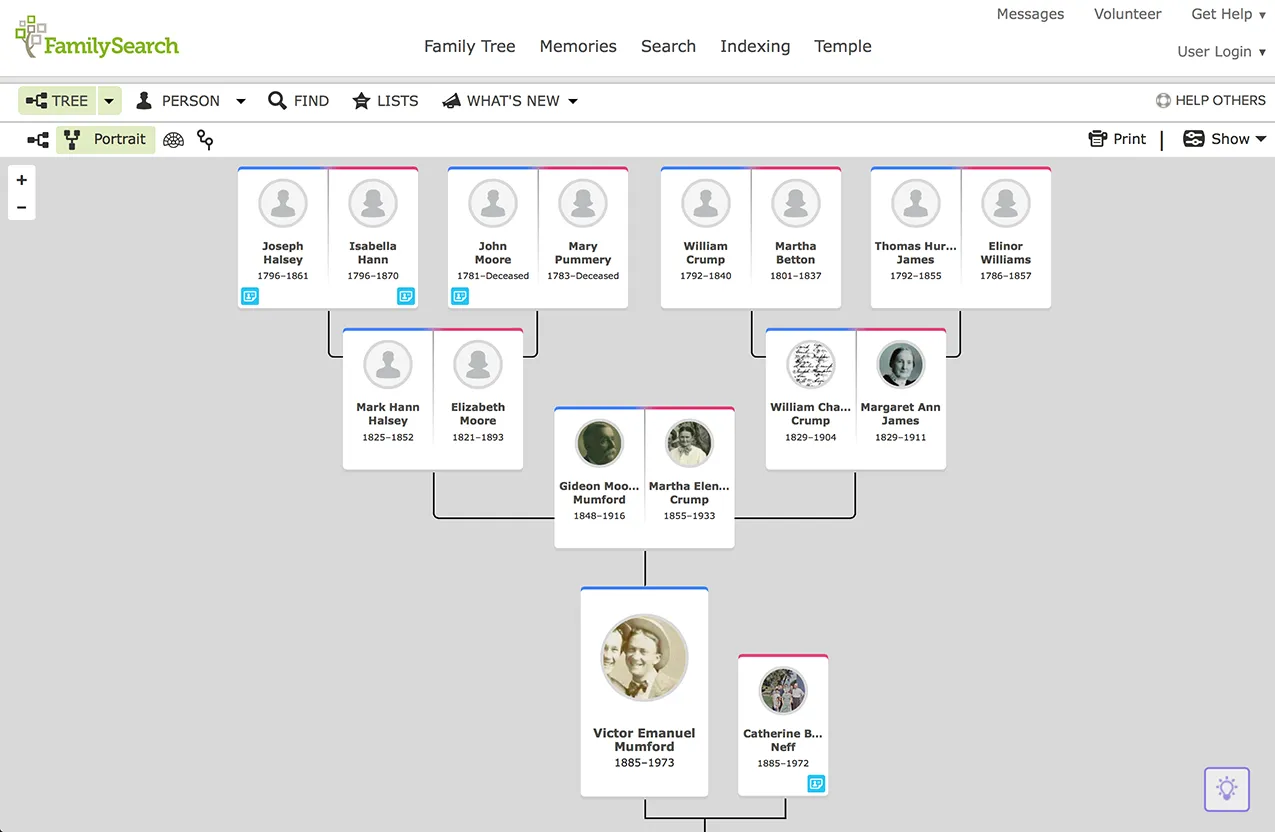 Horizontal diagram of building a family tree in Family Search
Fan diagram. This is a display of the family tree in the form of radial circles. The youngest members of the family – children – are displayed below the central person in the tree, and the ancestors – above it. This mode is convenient because when viewing the tree, you can immediately see where branches need to be added and explore additional information about the family tree:
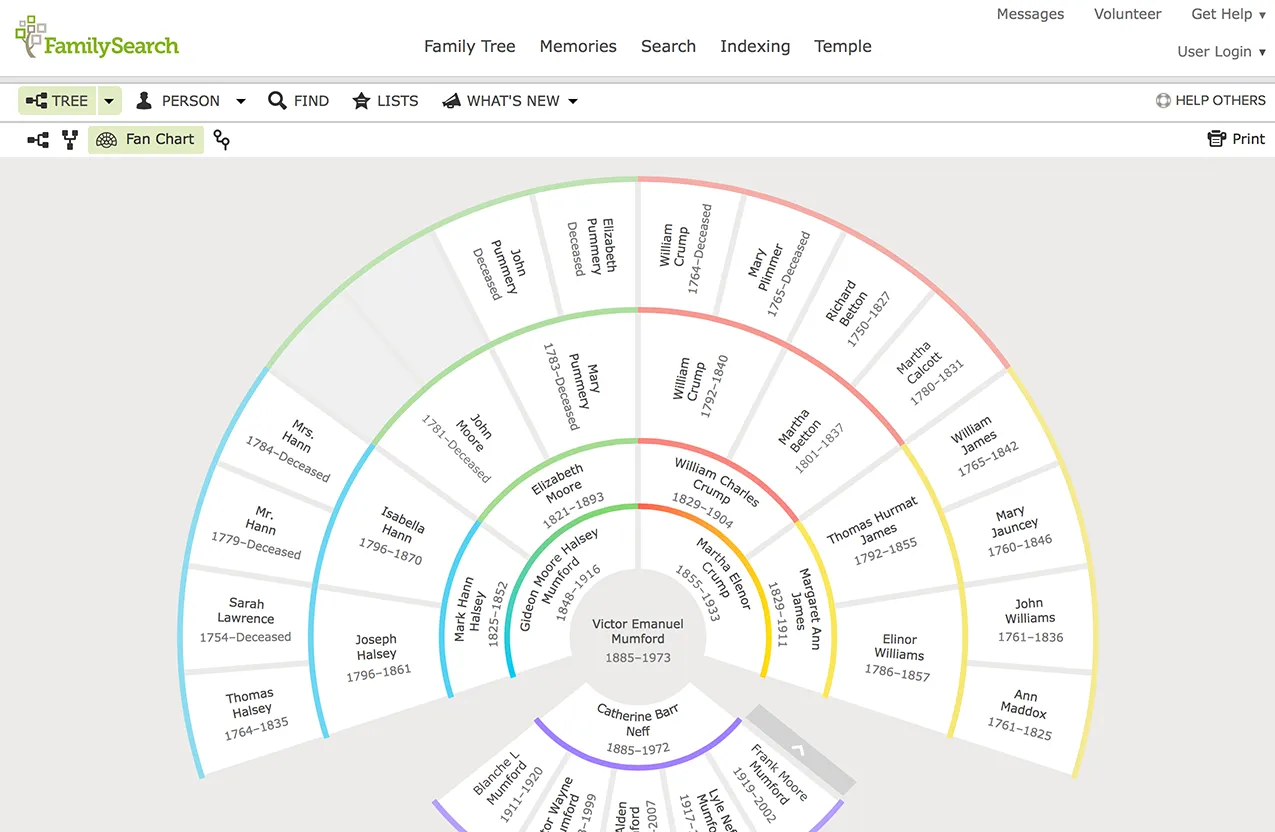
Fan (radial) pedigree diagram
An interesting section of the site is the tab «"Memoirs"». Here you can add memoirs, audio and photo documentation, stories, and documents that will help not only in your further searches, but also in the research of other people with whom you have common ancestors.
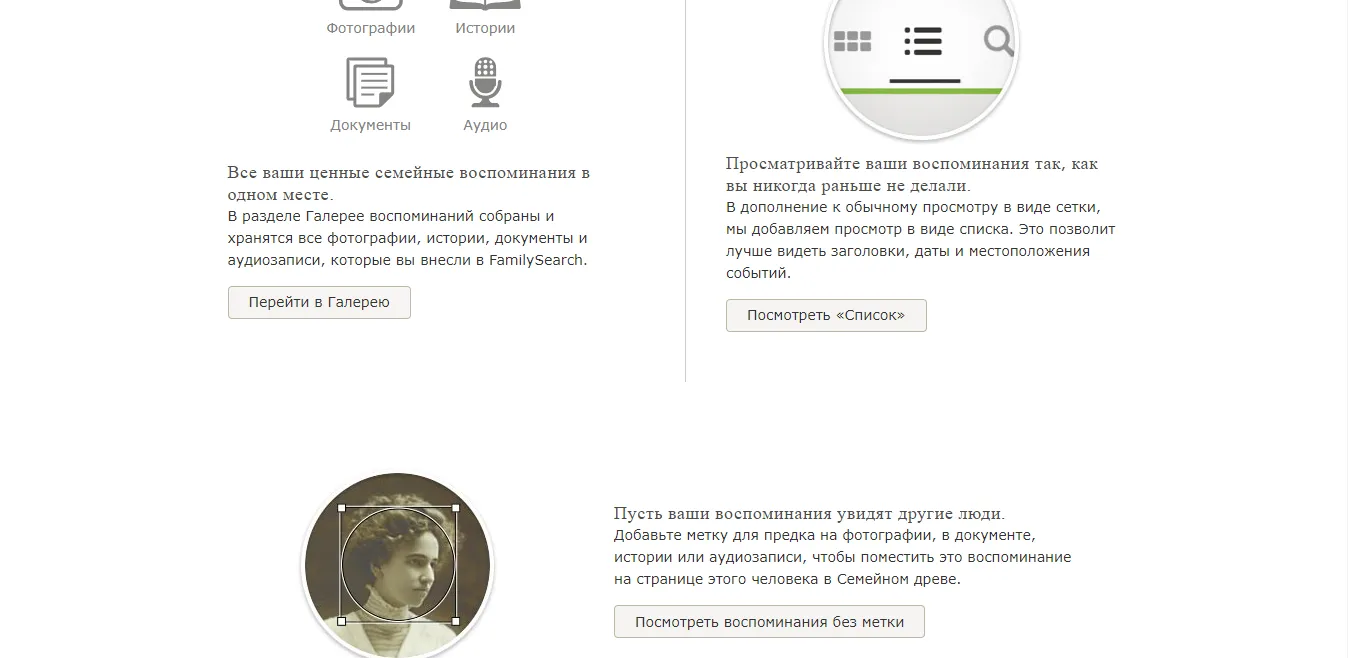
The Memories tab on Family Search
Indexing section« allows the average user to find interesting projects and training courses, for example, how to read metric books, interpret records or participate in group research in different parts of the world. The site also contains Educational Reference Materials with tips and recommendations that will help the researcher index metric records and make them available for viewing and searching on the Internet. The section also contains the basic principles of indexing materials: general rules for abbreviations of names, names, cities, additional information about records, features of writing dates, age, marital status of people, correct interpretation of surnames and occupations, etc.
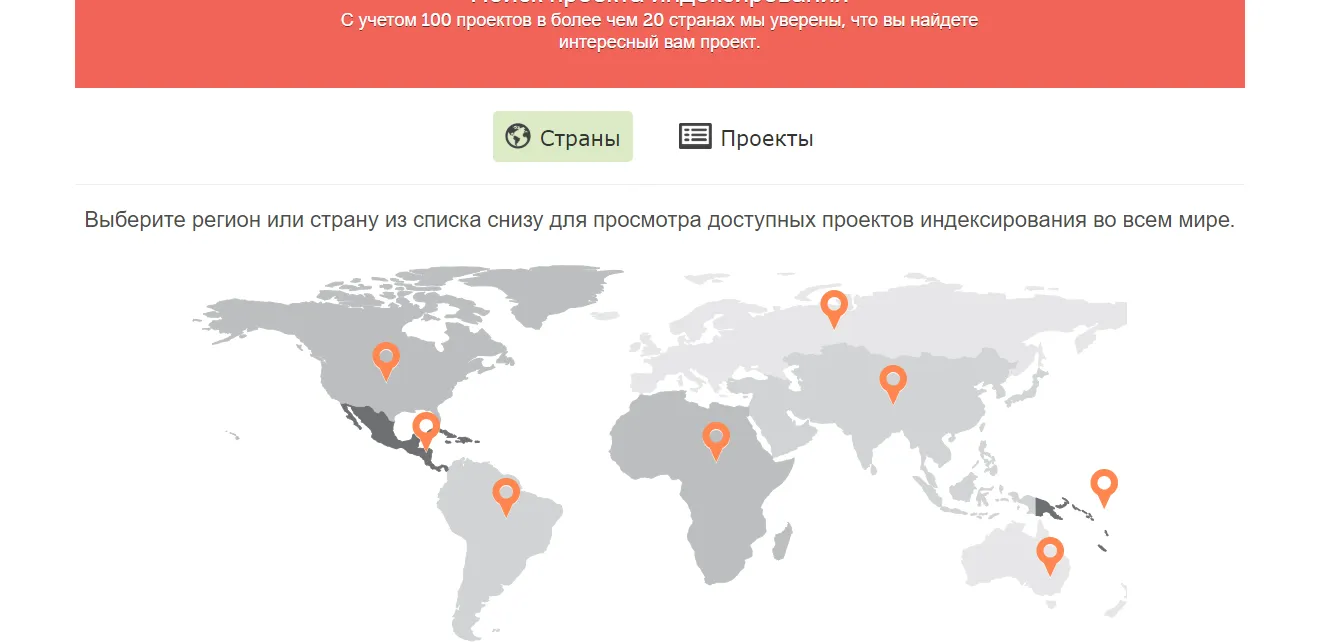
Search for projects and research offered by Family Search using the map
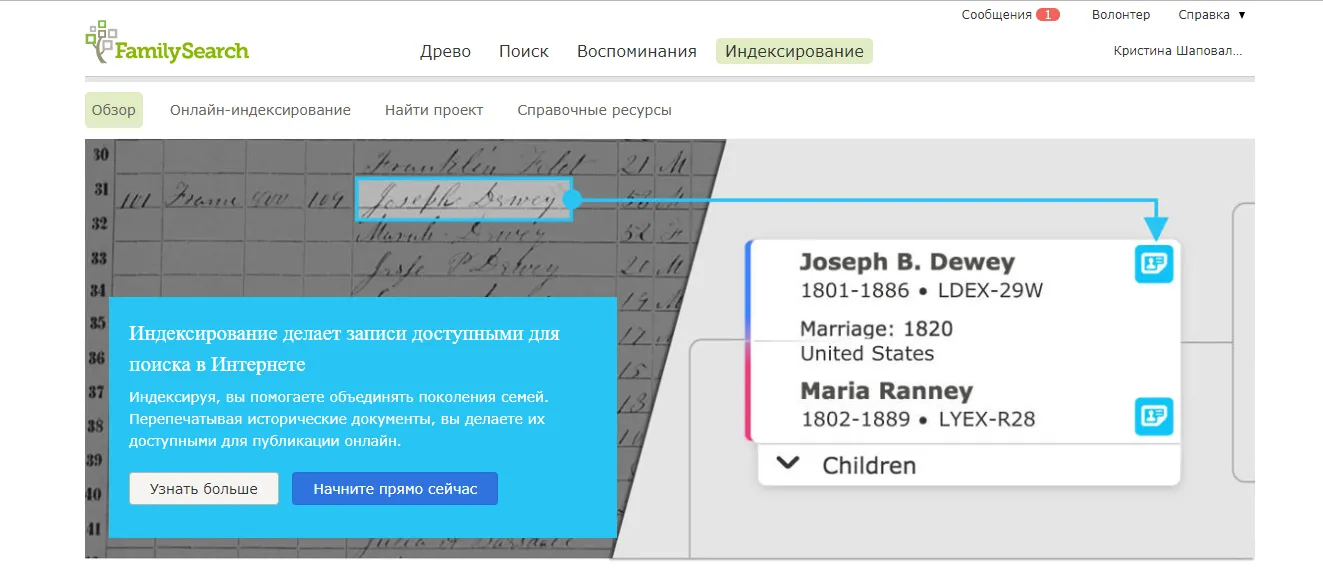
Family Search's helper for correct interpretation of surnames
One of the main and important sections of the Family Search website is the tab «"Search"». There are several sections here – «Records», «Family Tree», «Pedigree», «Catalog», «Books», «Wiki Search».
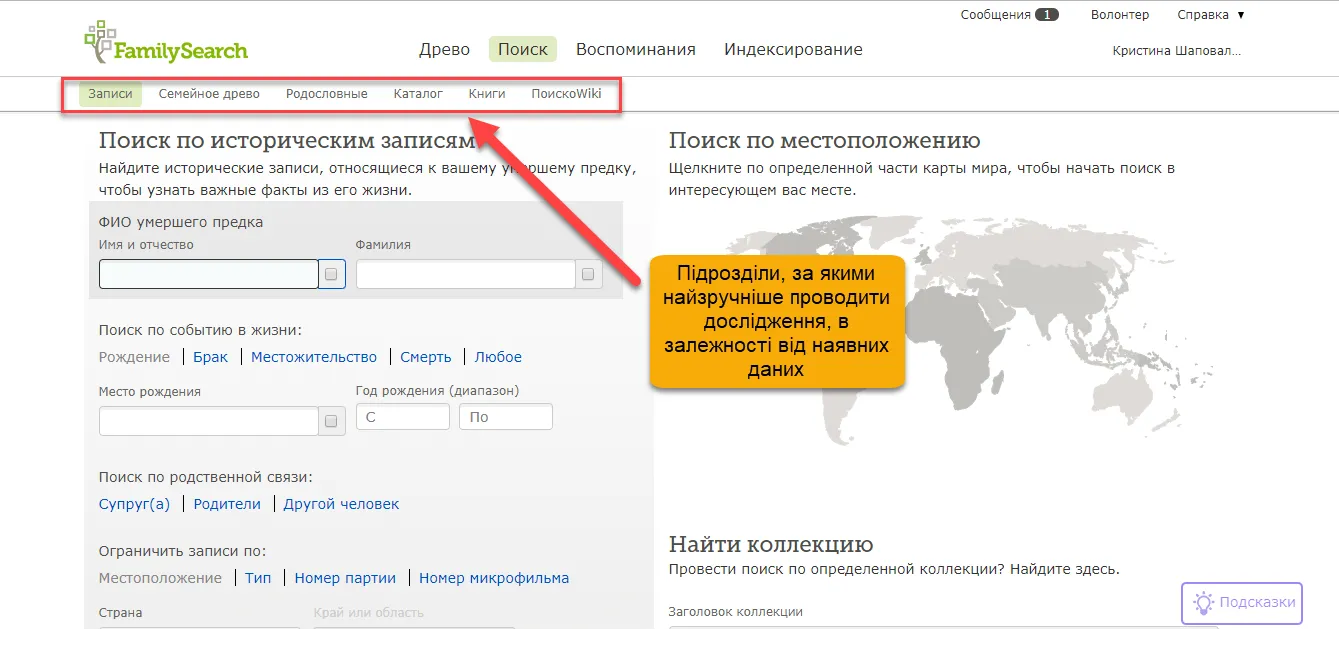
In the unit «"Records"», You can find genealogical information by entering data you already know. You can enter a surname, first name, date, and place of birth and thus search for information in one of the world's largest genealogical databases about the families and people you are interested in.
Tab «"Pedigree"» includes family trees that are already available in Family Search. This will allow you to find relatives and their family trees that are already included in the Family Search database and fill in your own family tree.
A very important subdivision for genealogy researchers is «"Catalog"», which allows you to browse books, online resources, and microfilmed birth records that are available online, as well as in libraries and family history centers.
There is an option to search for data by different types of sources, location, surname, author, topic, and keywords.
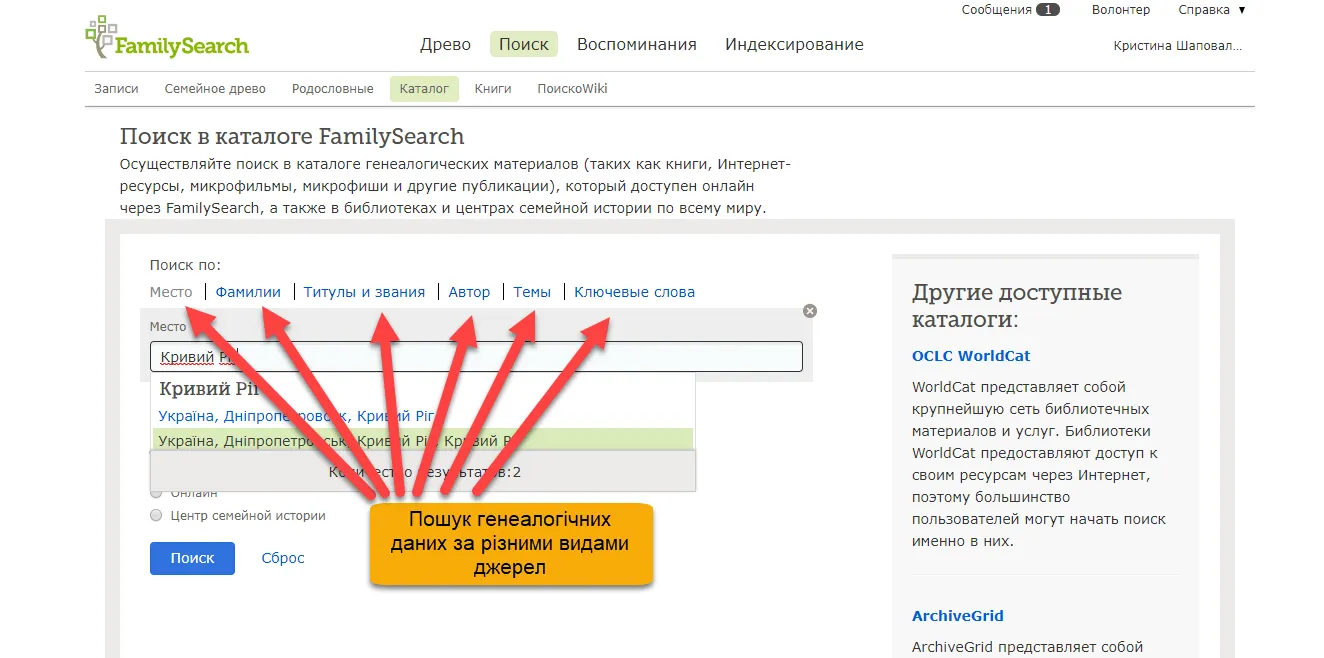
After you enter data into the search field, you will be shown the number of materials found:
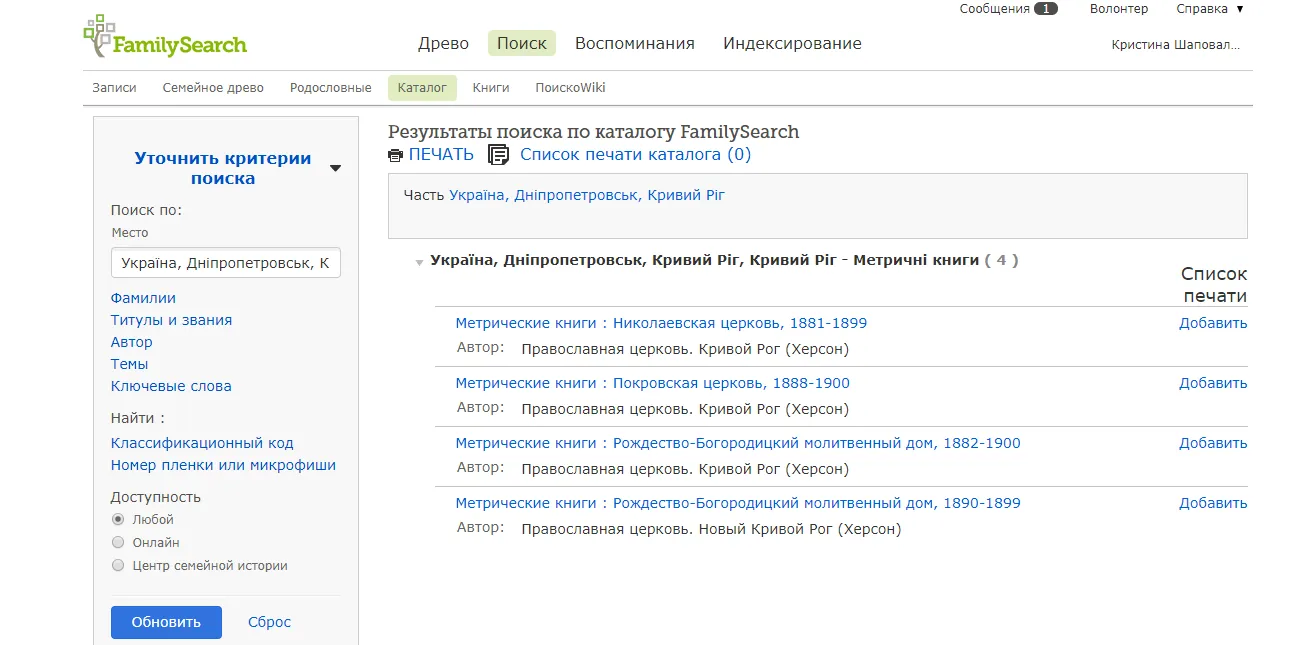
Next, you need to select the desired metric book or other resource you need:
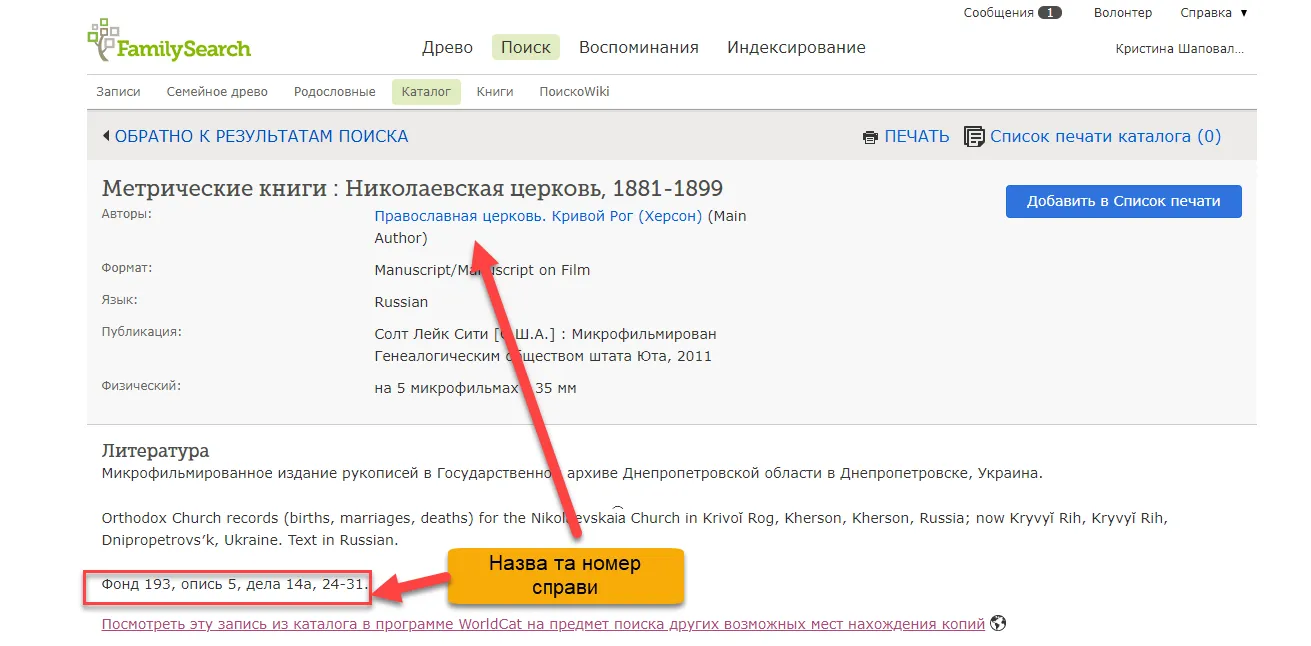
The next step is to select the microfilm you need: a birth, marriage, or death record and the time frame you need for your research. Once you have found the file you need from the list, click the "View Images Online" button:
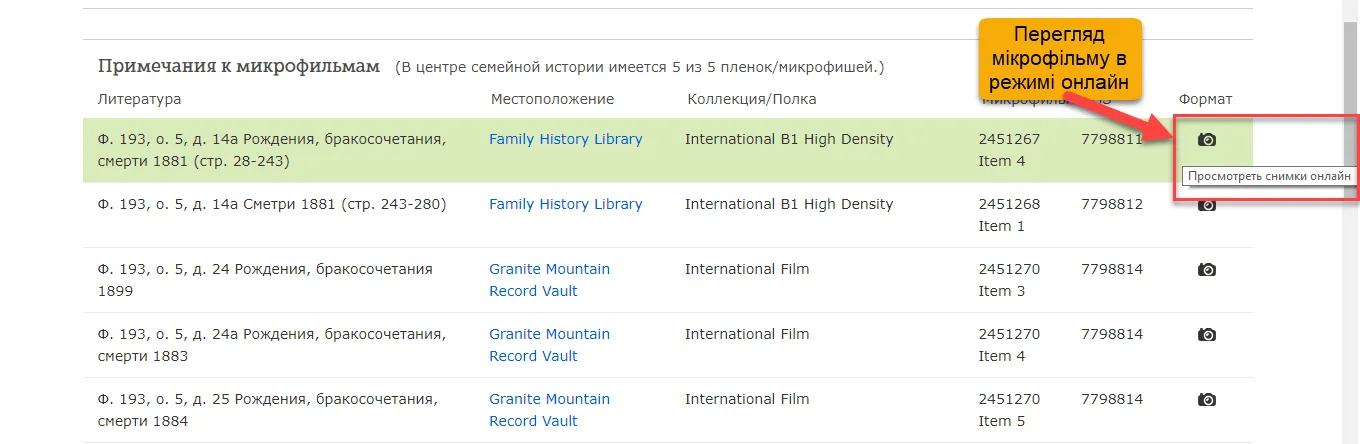
After selecting this function, you will have access to the photometric book in real-time access mode and can start searching for genealogical records - baptisms, weddings, deaths, etc.
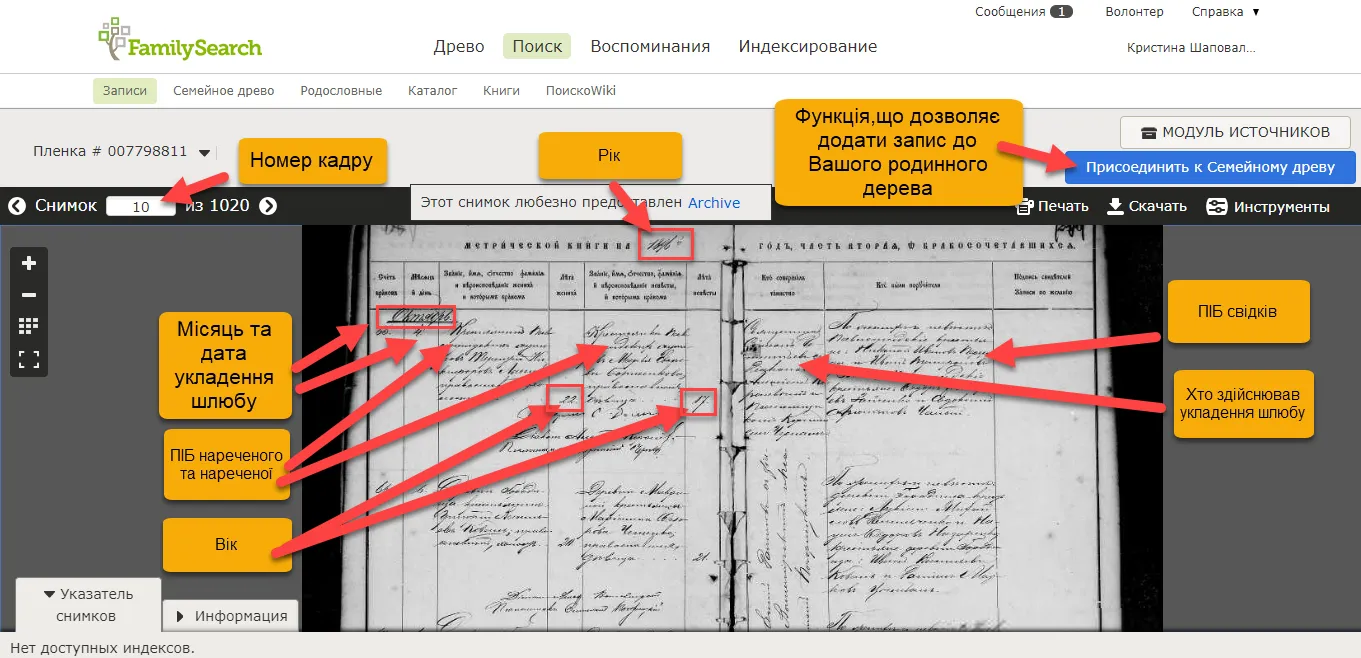
Example of a page from a marriage registry book, available for viewing in Family Search
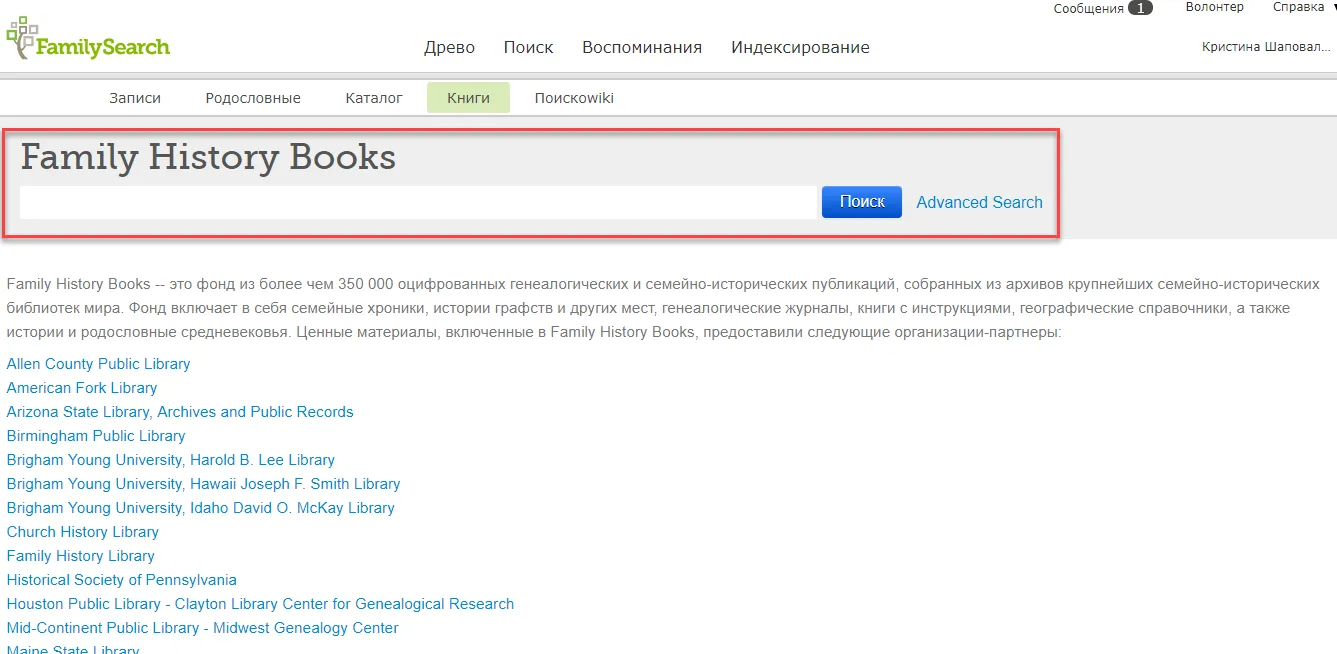
"Books" section – is a fund with more than 350 thousand digitized family history publications. It contains family chronicles, histories of counties and other localities, books with instructions, geographical guides and other valuable materials from various libraries, archives and educational institutions from different countries. There you can find the information you need about localities, the history of villages, individual families, etc. The section has a search function, so you only need to enter the name of the publication you need. This function is currently more informative for the USA and Western European countries.
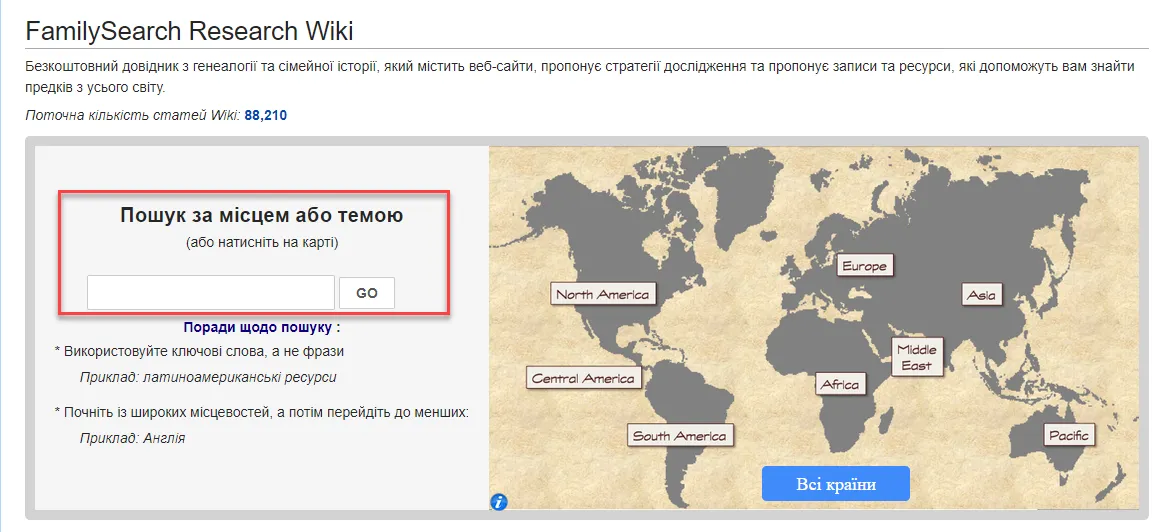
Wiki Search section« contains various websites and information resources, offers research strategies and tips on how to find ancestors from all over the world. For this search, you need to enter keywords or phrases, terms or words that correspond to the topic of your search, for example, "Berezhansky poviat". It is worth starting the search not with highly specialized names and small localities, but with broader ones and gradually narrow the scope of the research.
We hope that the overview of the FamilySearch platform was useful for you and that this information will help in future genealogical research. This site is being modified and constantly updated with genealogical materials and photocopies. This provides ample opportunities for successful research. We wish you success!